How we built Rx search

 nikhilesh.vegesna, leon.han7min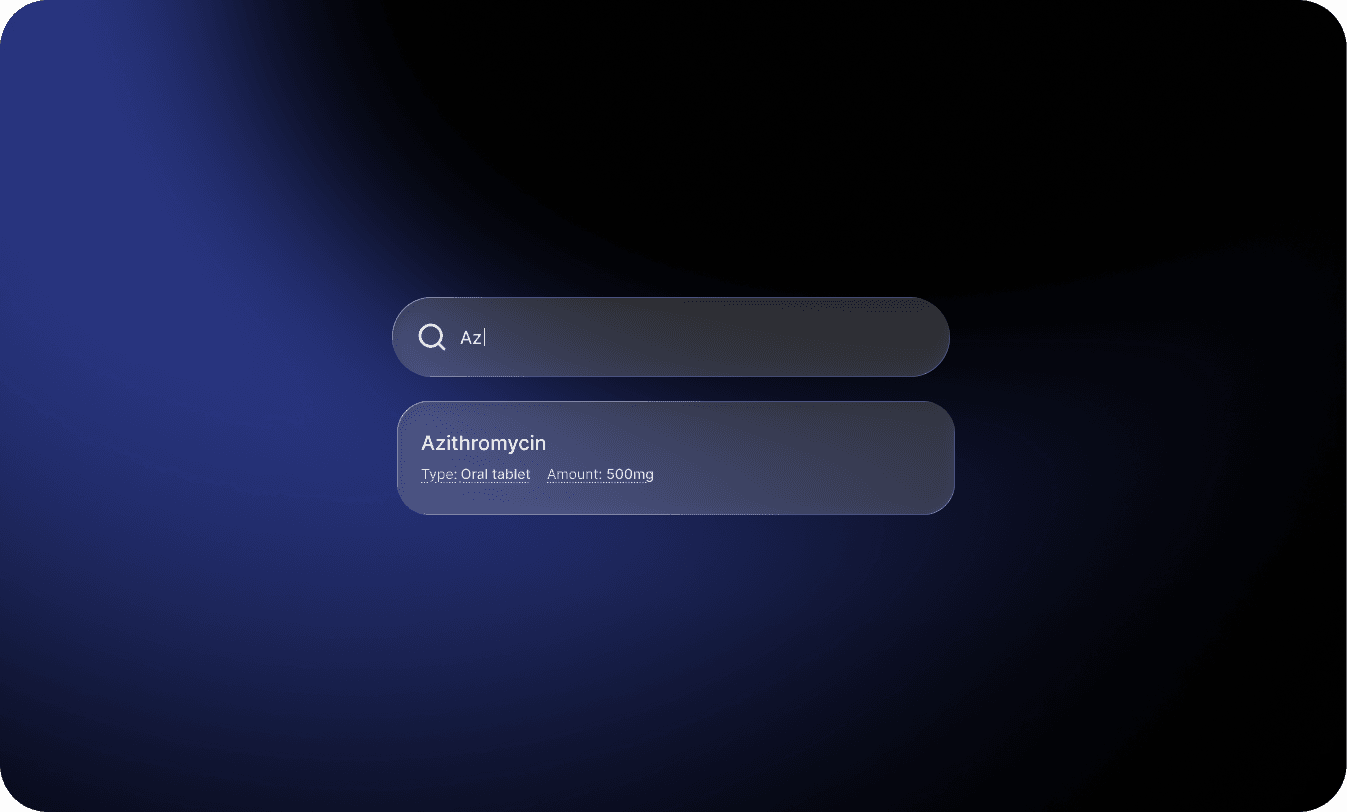
One of the most challenging and rewarding product problems at Thatch is Plan Selection. How do we ensure that our members are able to select the medical, dental, and vision plans best suited to their individual circumstances? Everybody has different medical needs, lifestyles, and finances.
A core part of plan selection is ensuring that our members can access the prescriptions that they need at a price that they can afford.
So we set out to build what we thought would be a straightforward feature. All you have to do is let users search for and select a drug, then show them whether that drug is "covered" for all the medical plans available to them.
It turns out that "drugs" are deceptively complex. The way that a person thinks about their medication ("I take Tylenol") is very different from how medication is formally represented at the physician layer, which is different from how drugs are represented at the pharmacy and insurance layer. Understanding how to bridge these gaps turned out to be a fun problem for us at Thatch. This article explains how we approached the problem.
Patient vs. doctor vs. pharmacy
When you pick up a drug from the pharmacy, there are lots of ways that drug can be different from somebody else's.
- Active Ingredient
- Dosage Form
- Dosage
- Drug Product (other ingredients)
- Manufacturer
- Package size and type
The active ingredient of a drug is how a patient usually thinks about their prescriptions ("I am taking ibuprofen").
Along with the active ingredient, the dosage form and dosage of a drug are most relevant to doctors, patients, and insurance companies. They form the bulk of what is "clinically relevant". Other factors are usually irrelevant to a patient's experience.
Some of the other factors that determine a unique drug are actually below the abstraction level that we care about. Things like the drug product (everything else in the drug that isn't clinically active), manufacturer, packaging, etc. are mostly relevant to pharmacies and carriers.
There are two primary drug categorization systems in the United States. RxNorm is managed by the National Library of Medicine and represents "clinical concepts". NDC is managed by the FDA and is most used for commercial tracking and financial billing.
We chose to use RxNorm as our taxonomy for drugs because it is most relevant to clinical settings. When a doctor makes a prescription, it can be directly mapped to an RxNorm term.
RxNorm taxonomy
RxNorm assigns every drug concept a unique identifier (an RxCUI) and categorizes it by a Term Type (TTY). There are 19 of these term types, ranging from active ingredients to fully specified branded formulations. Most aren't relevant to our use case — here are the ones that matter for the purposes of this article.
- IN (Ingredient): The clinically active ingredient in a drug — "amoxicillin"
- BN (Brand Name): The branded name for a drug associated with an active ingredient (or MIN) — "Amoxil"
- MIN (Multiple Ingredients): Multiple clinically active ingredients combined together — "amoxicillin / clavulanate"
- SCD (Semantic Clinical Drug): Ingredient + Dosage Form + Dosage — "Amoxicillin 875 MG Oral Tablet"
- SBD (Semantic Branded Drug): Brand + Ingredient + Dosage Form + Dosage — "Amoxil 875 MG Oral Tablet"
- GPCK / BPCK (Packs): A collection or package of drugs or branded drugs — "Medrol Dosepak"
For the complete list of all 19 term types and the relationships between them, see the RxNorm term types documentation.
These term types form a hierarchy — ingredients break down into specific formulations, which map to branded equivalents. The key insight for our use case is the split between searchable concepts (what users type) and prescribable concepts (what insurance can check coverage for):
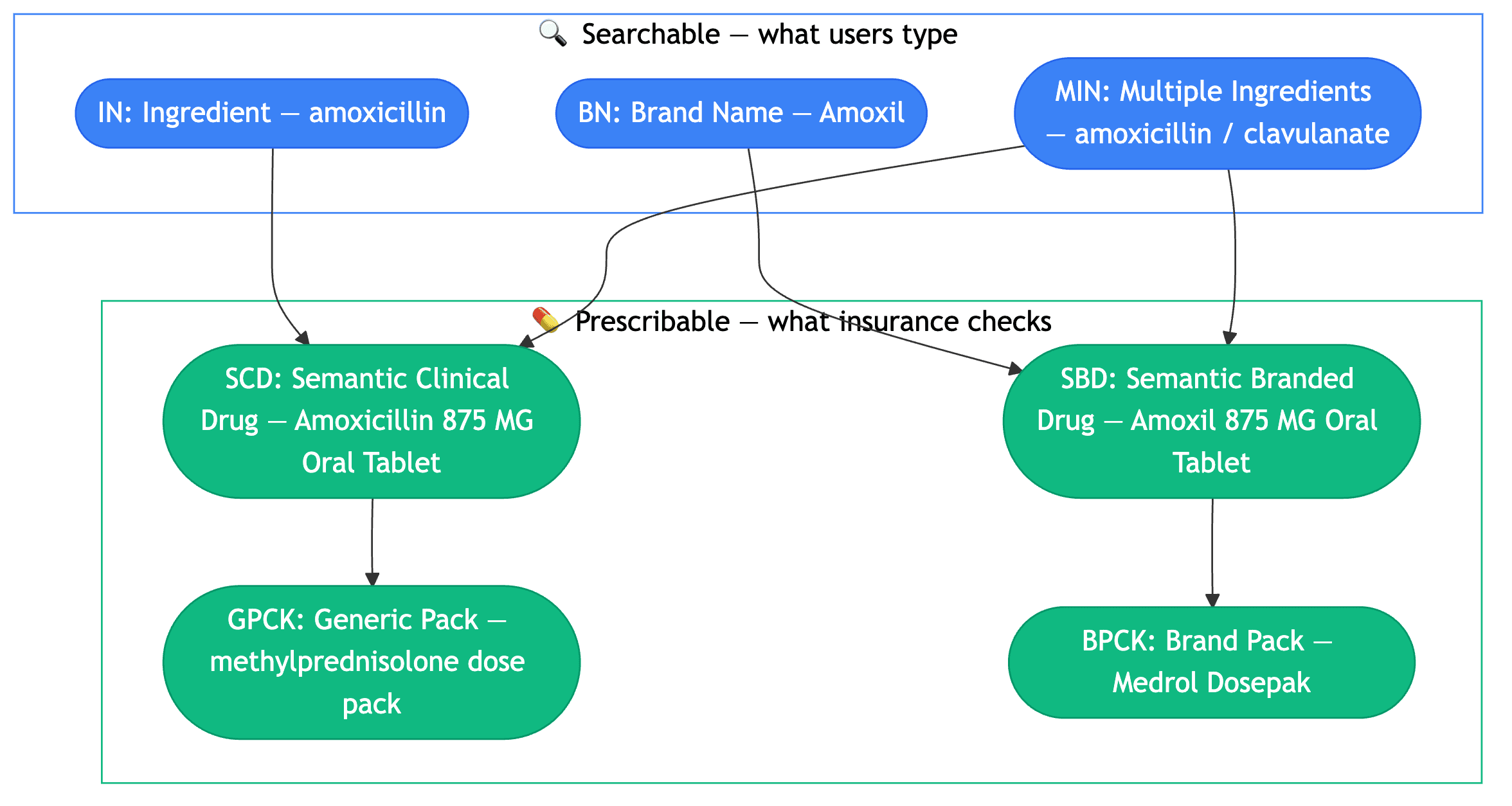
A single ingredient like "amoxicillin" fans out into dozens of prescribable drugs — different strengths (250 MG, 500 MG, 875 MG), different forms (Oral Tablet, Oral Capsule, Oral Suspension), and different packs. A brand name like "Tylenol" similarly maps to many SBDs across strengths and forms.
Two types of users, two levels of abstraction
When we talked to users, we found they fall into two camps:
- Most users know the name of their drug — either the brand name ("Tylenol") or the generic ingredient ("acetaminophen"). They don't know or care about the specific dosage form or strength.
- Some users have a specific prescription from their doctor and need to check coverage for that exactly — "Amoxicillin 875 MG Oral Tablet," not just "amoxicillin."
This is what makes the problem hard. There is a natural tension here between what is "searchable" and what is "prescribable". Users think at one level of abstraction, insurance operates at another, and we need to bridge them while keeping the experience intuitive.
Additionally, users land anywhere between these two levels of abstraction. Some want to confirm that any version of an active ingredient is covered, others know the form but not the strength, and still others have an exact prescription to check.
Our approach: two-layer search
Layer 1: Fuzzy typeahead search
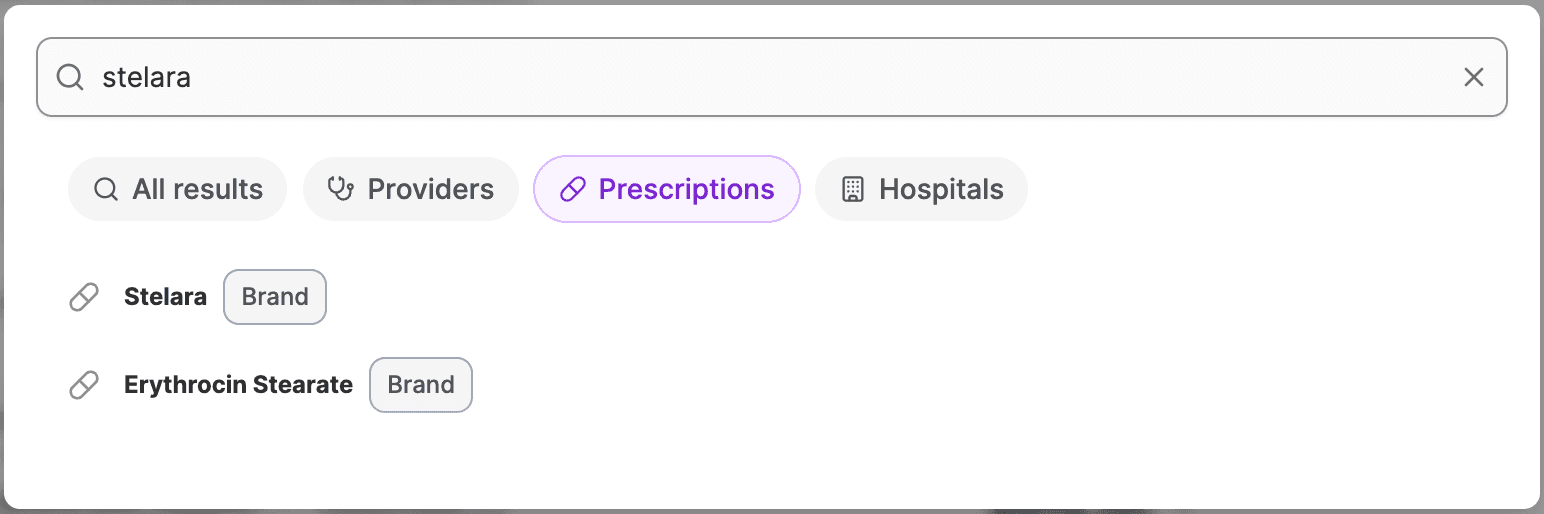
The user types a drug name. We search across IN, BN, and MIN concepts using a fuzzy search algorithm.
Results at this stage are intentionally high-level — just names the user would recognize.
Layer 2: Guided narrowing
When the user selects a result, we load the full drug graph for that concept — all the prescribable drugs, packs, and intermediary forms connected to it.
At this point we have the full set of possible prescribable drugs associated with the ingredient or brand. We walk the user through a decision tree.
- Drug or Pack? Some concepts have both individual drugs and multi-drug packs. We ask which path they need.
- Dose form? The form the drug is delivered in, such as "Oral Tablet", "Oral Capsule", or "Oral Suspension".
- Strength? e.g. "250 MG" vs. "500 MG" vs. "875 MG"
At any point, the user can stop and select every prescribable drug their choices resolve to.
Example: searching for "Stelara"
Let's walk through what happens when a user searches for Stelara, a biologic used to treat conditions like psoriasis and Crohn's disease.
Layer 1 — Search. The user types "stelara". Our fuzzy search matches it to the brand name "Stelara" (BN). They select "Stelara."
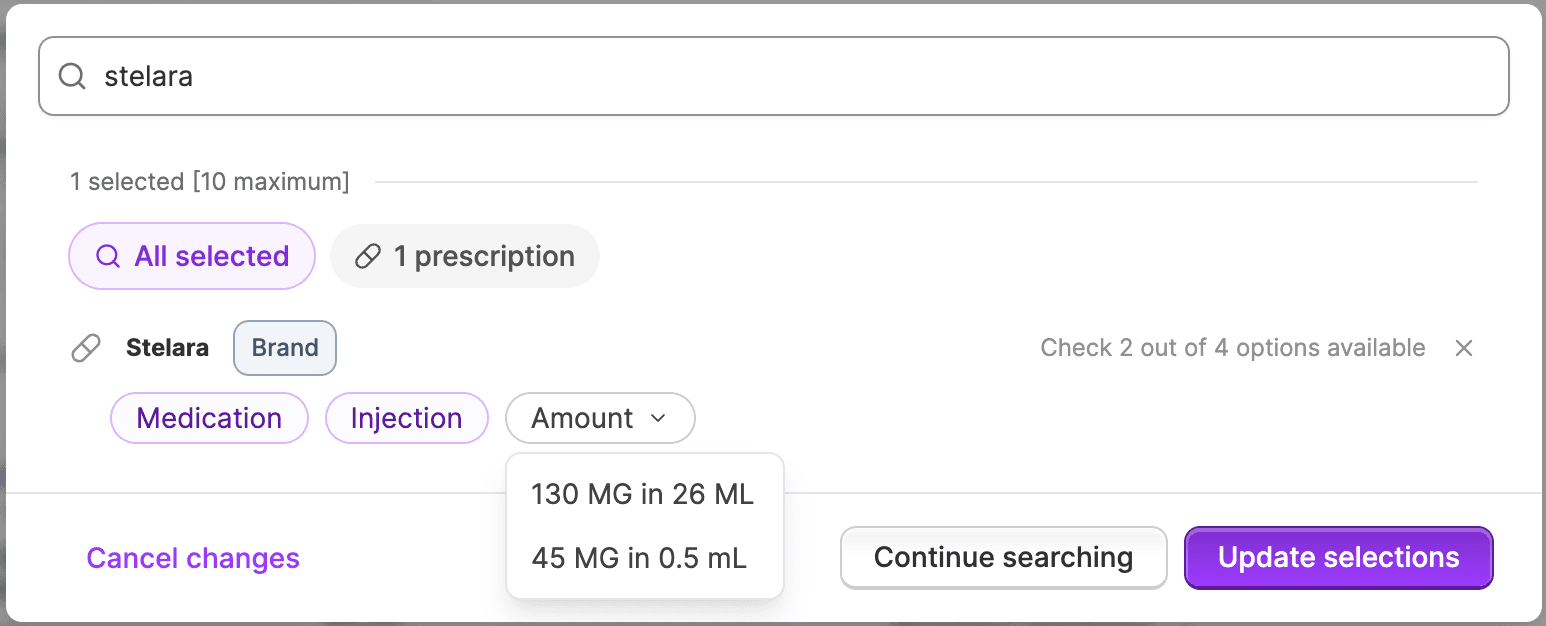
Layer 2 — Narrow down. We load the full drug graph for Stelara. We walk the user through the narrowing choices:
- Drug or Pack? Stelara doesn't have associated packs, so we skip this step.
- Dose form? The user sees: Injection, Pre-filled Syringe. They select Injection.
- Strength? Now we show the strengths available for Stelara injections: 130 MG in 26 ML and 45 MG in 0.5 mL.
Result. The user has selected the branded drug and the dose form. Given that information we can narrow the "prescribable drugs" down to two options — "Stelara 130 MG in 26 ML Injection" and "Stelara 45 MG in 0.5 mL Injection" (SBDs). We now have RxCUIs we can send to the formulary API to check coverage across all available plans.
Coverage: the last mile
Once we have a prescribable RxCUI, we need to check whether the user's health plan covers it. We do this through our formulary API, which returns:
- Coverage tier — where the drug sits on the plan's formulary (preferred generic, non-preferred brand, specialty, etc.)
- Restrictions — whether the drug requires prior authorization, has quantity limits, or requires step therapy (trying cheaper alternatives first)
This is where the two-layer approach pays off. Because we've resolved down to specific prescribable drugs, the coverage check is precise. We're not guessing or showing approximate results — we're checking exactly the formulation they need.
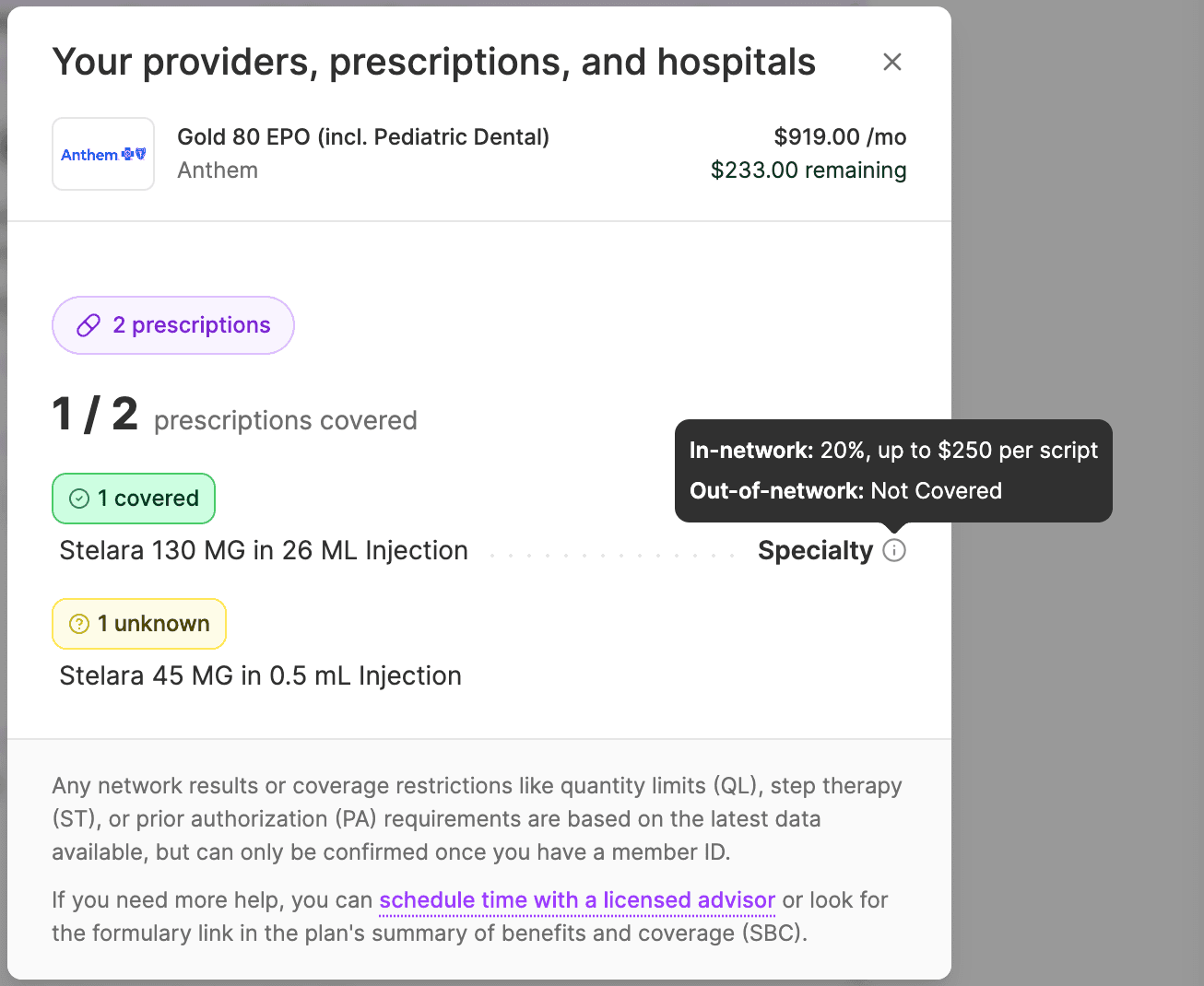
In the Stelara example, the coverage check reveals that "Stelara 130 MG in 26 ML Injection" is covered under the plan's Specialty tier with 20% coinsurance up to $250 per script in-network, while the 45 MG formulation's coverage is unknown. This kind of specificity is only possible because the two-layer search resolved the user's intent down to exact prescribable drugs.
What's next?
We thought this was a really fun problem. More importantly, it empowered our members to select the plans that were right for their medical needs. In the future we are exploring ways to improve search results with some of the following ideas:
- We would like to allow for synonym search. Some drugs have synonym names and these are available in the RxNorm taxonomy.
- We would also like to tag some ingredients and brands with other searchable terms. This is super useful for cases like GLP-1s. A lot of users want to search for GLP-1 and get results like Ozempic and Wegovy.
- Surfacing ingredients when searching brands (and vice versa) would be very helpful for users who sometimes only know one or the other but don't need to be limited.